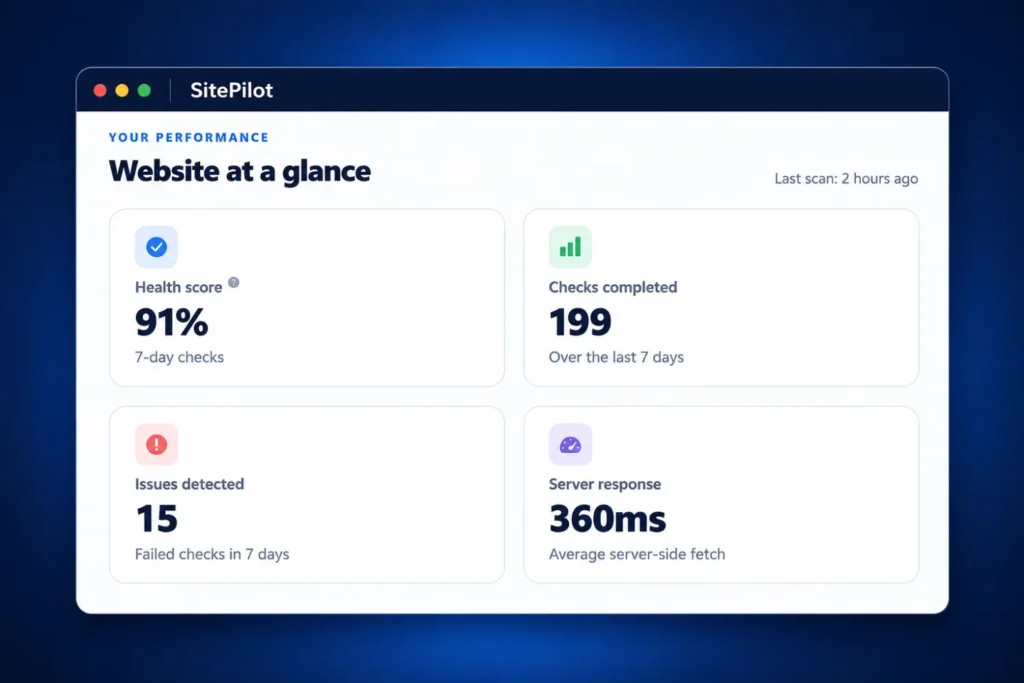
Know when your website needs attention.
Keep track of the issues that can affect visitors, especially after plugin updates, theme changes or content edits.
Find issues faster
Check pages, broken internal links and important elements directly from WordPress.
Stay informed
Premium adds scheduled checks, configurable email alerts and weekly reports.
Act with confidence
Review recorded issues and preview, approve or undo supported internal link repairs in Premium.
Your website health, in one dashboard
Navigate between Overview, Monitoring, Protection, Reports, Settings and Plans & license in the redesigned workspace. Free includes read-only previews of Premium features; the separate Premium add-on and a valid licence are required to use them.
After updating a plugin or changing a page, open Site Health Monitor and select Run checks. Review the URLs that returned errors, broken internal links, and whether important forms and buttons are still present.

Everything included in Free and Premium
Free 1.4.0 covers manual checks on up to three selected pages, with up to 60 internal link checks per scan. Premium adds automated monitoring for up to 20 selected pages, advanced diagnostics and optional update protection on one WordPress website per licence.
| Feature | Free | Premium |
|---|---|---|
| Monitored pages | Up to 3 selected pages | Up to 20 selected pages with an active licence |
| HTTP status and response time | Manual checks | Manual and scheduled checks, with response-time history |
| Broken internal links | Detect broken links; up to 60 internal link checks per scan | Detect and review broken links; preview, approve and undo supported repairs |
| Forms, buttons and important elements | Passive detection | Monitor expected forms, buttons, IDs and text |
| Automatic scan schedule | — | Choose when automatic checks run |
| Post-update checks | — | Check monitored pages and expected elements after supported plugin and theme updates |
| SSL certificate monitoring | — | Monitor certificate expiry |
| Performance monitoring | — | Track HTTP response times and historical measurements |
| Broken image detection | — | Find broken image references |
| WooCommerce payment-method checks | — | Monitor configured payment-method availability; does not process a payment |
| PHP and browser JavaScript error monitoring | — | Included when enabled |
| Desktop and mobile visual comparisons | — | Available with a separately configured browser worker |
| Email alerts | — | Configurable notifications about detected issues |
| Weekly email reports | — | Scheduled summaries of website health |
| Check history and CSV export | Included | Included with scheduled monitoring |
| Action centre | — | Prioritises recorded issues and next steps |
| Pre-update file backups | — | Optional protection for supported plugin and theme updates |
| Recovery points and manual restoration | — | Restore supported plugin or theme files from recovery points |
| Conditional automatic rollback | — | Optional restoration after two confirmed server errors following a supported update |
Get started with Site Health Monitor
- Download Site Health Monitor Free 1.4.0 (ZIP), install it and run your first check in WordPress.
- Choose your important pages and review the results in the dashboard.
- Premium purchases are temporarily unavailable while we improve the installation experience.
Frequently asked questions
Does Site Health Monitor require WooCommerce?
Site Health Monitor runs on WordPress sites with or without WooCommerce.
What do form and button checks cover?
Site Health Monitor checks whether the elements are present in the HTML returned by WordPress. Form delivery and payments require separate end-to-end tests.
What do scheduled checks and visual comparisons need?
Scheduled checks need a working WordPress scheduler. Desktop and mobile visual comparisons require a separately hosted and configured browser worker.
Questions about setup or licensing? Contact Secherit support.